Export CRM
CRM for exporters: every overseas buyer in one place
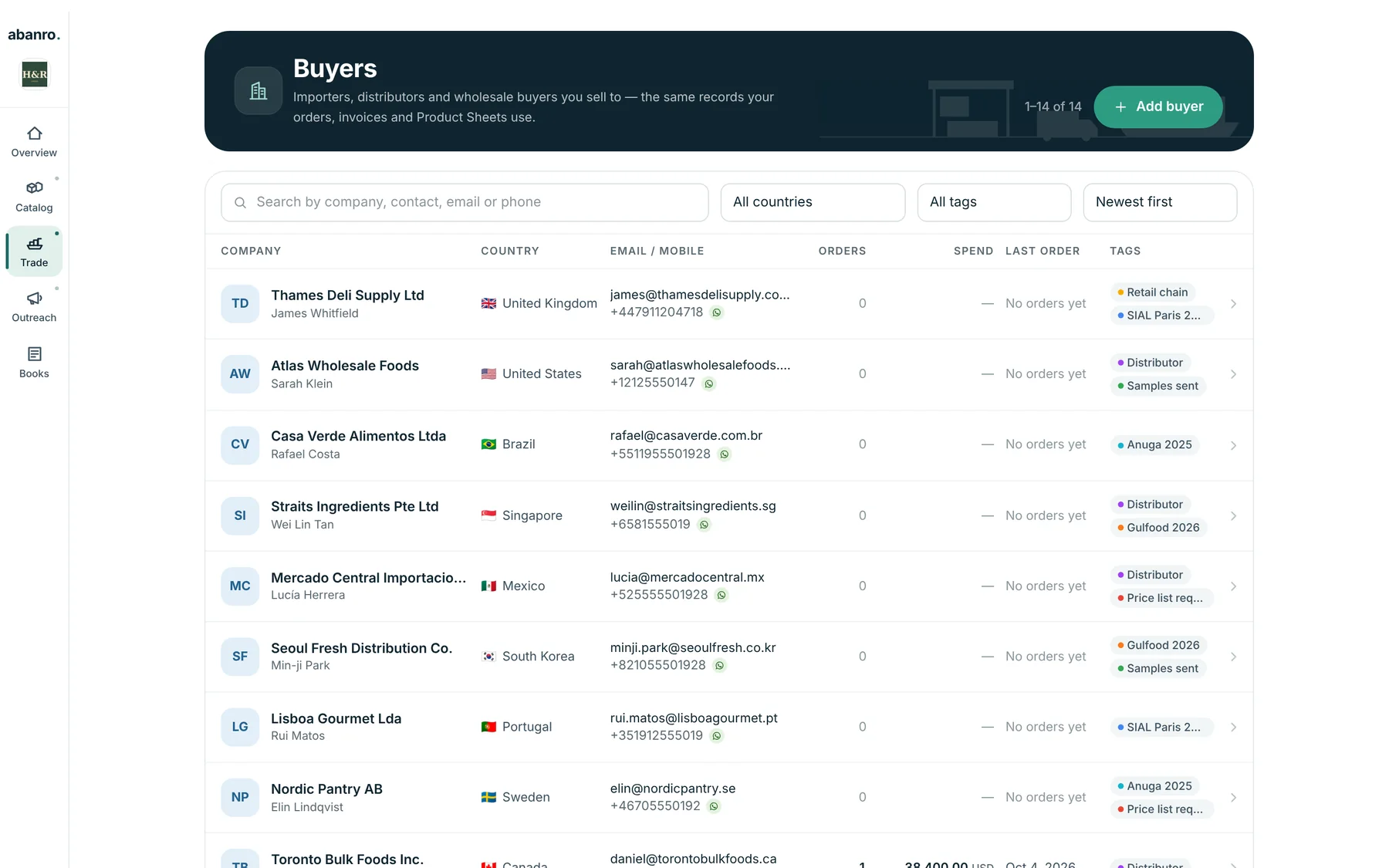
Importers, distributors and wholesale buyers, with their contacts, tags, notes, WhatsApp and email follow-up and every export order, all in one record your whole sales process runs from.
No credit card required · 14-day free trial
Why exporters outgrow spreadsheets and chat threads
Most export teams start with a spreadsheet of contacts, a phone full of WhatsApp chats and an inbox of price-list emails. It works until the second trade show.
Buyer details are scattered
The contact person is in WhatsApp, the address is in an old invoice and the notes are in someone's notebook.
Follow-ups depend on memory
Nobody owns the second and third message, so buyers who were interested go quiet.
Documents are retyped
Every quote and invoice starts by copying the buyer's details and the product specs again.
Context leaves with people
When a colleague is away or leaves, their buyers' history goes with them.
One record for each buyer
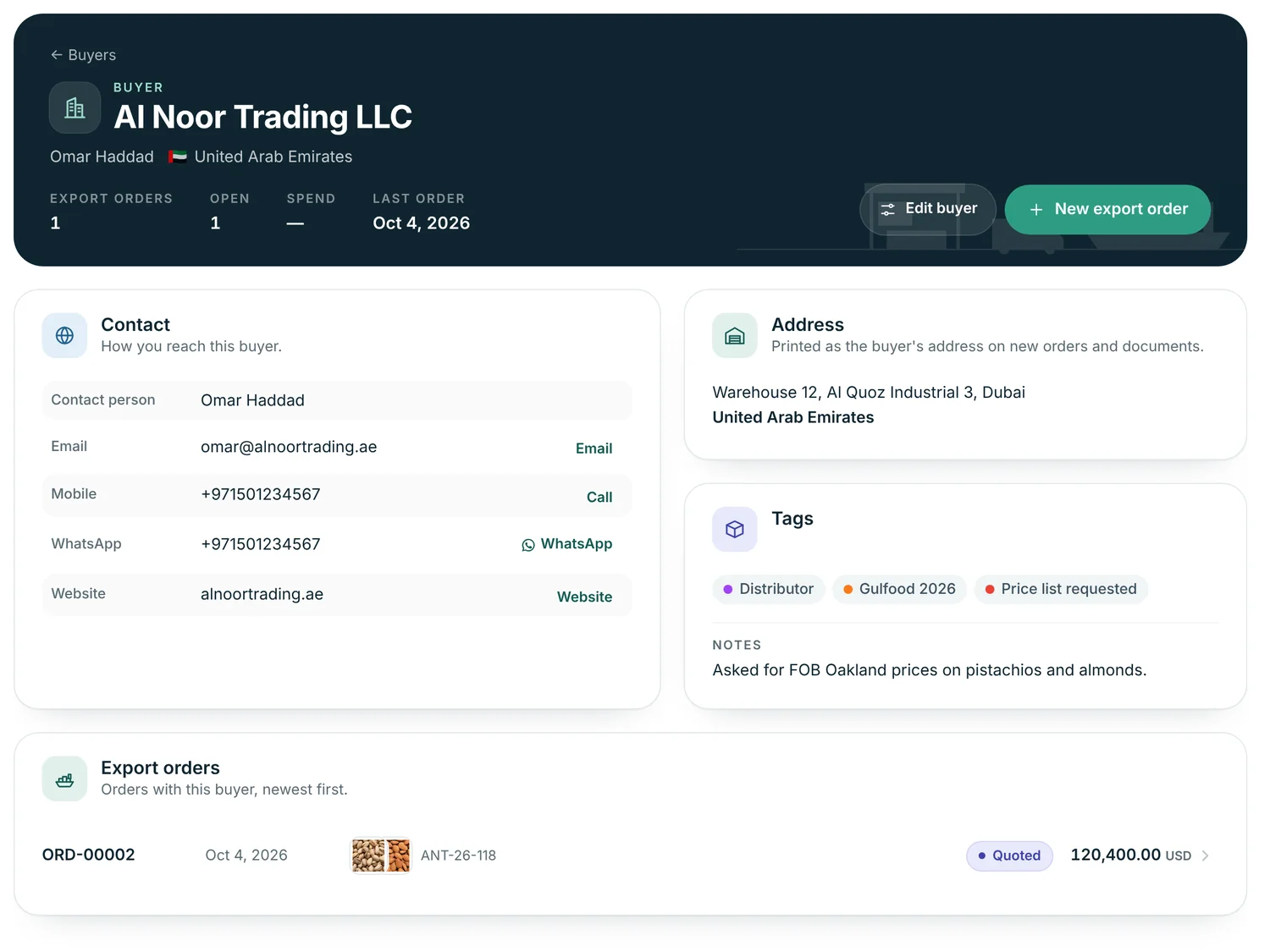
Company, contact person, country, email, mobile, WhatsApp, website and address, with buttons to email, message on WhatsApp or call from the record.
- Notes for the things buyers ask about: terms agreed, preferred ports, certificates.
- Address printed on new orders, invoices and packing lists.
- Export orders, open orders, spend and last order date on the record.
Organise buyers by show, market and status
Tag each buyer with where you met them and where they stand, such as Gulfood 2026, Distributor or Samples sent, and filter the list by country or tag.
- Search by company, contact, email or phone.
- Duplicate emails and numbers are caught: an existing buyer is never overwritten.
- Tags become campaign audiences, so new buyers you tag are included automatically.
Follow up from the same list
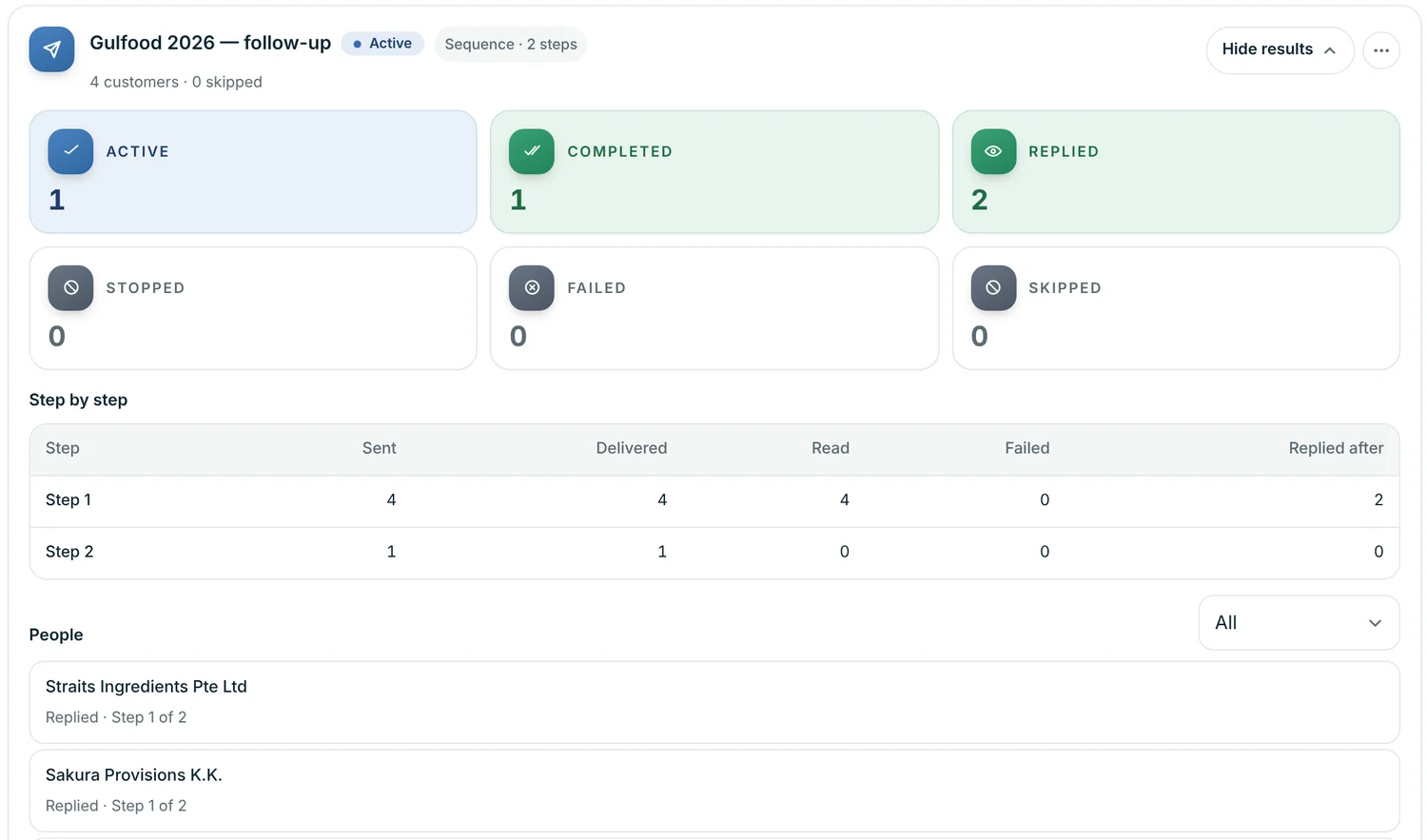
Send a WhatsApp sequence or an email sequence to a tag and see who replied, who's waiting for the next step and who opted out.
Quotes and orders tied to the buyer
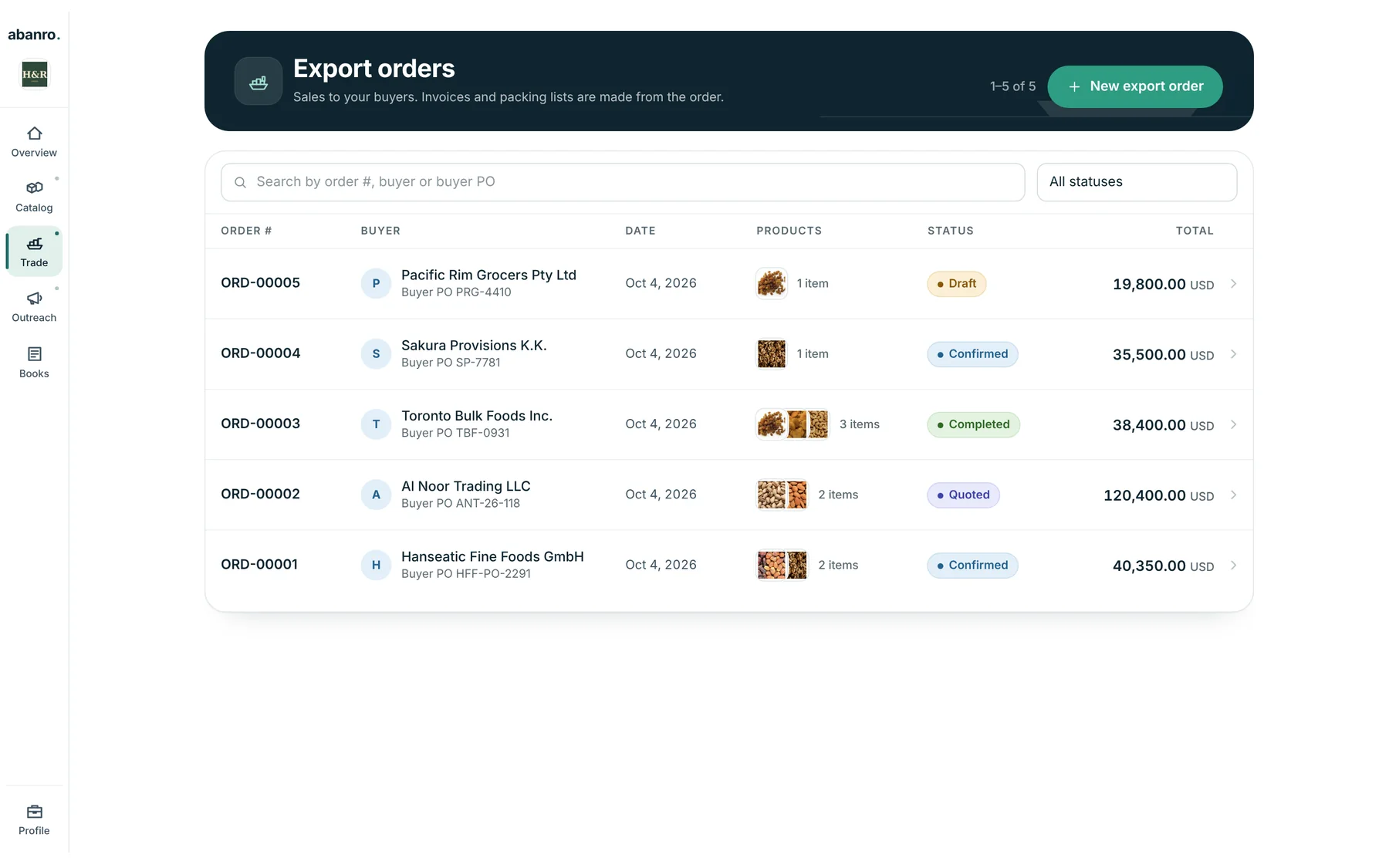
Create an export order from the buyer, quote it, confirm it and raise the invoice and packing list. The buyer's spend and order history update on their record.
Where buyer information lives, before and after
| Task | Spreadsheet, phone and inbox | Abanro Export |
|---|---|---|
| Contact details | Split across files and chats | One buyer record |
| Trade-show leads | Business cards and a typed list | Buyers tagged by show, ready for a campaign |
| Follow-up | Reminders and memory | WhatsApp and email sequences with set waits |
| Product information | PDFs and photos sent one by one | A Product Sheet link with specs and prices |
| Quotes and invoices | Details retyped into templates | Built from the buyer and product records |
Questions
What makes a CRM for exporters different from a general CRM?
Export sales happen across countries, time zones and channels. Abanro Export keeps the fields exporters actually use, such as country, contact person, WhatsApp number, trade-show tags and notes on ports and certificates, and connects them to WhatsApp and email follow-up, Product Sheets and export orders with Incoterms.
Does Abanro Export have a deal pipeline?
No. Abanro doesn't use pipeline stages or forecasts. You track where a buyer stands with tags (for example Samples sent or Price list requested), campaign results and their export orders, which move from draft to quoted, confirmed and completed.
Can I bring in my existing buyer list?
Yes. You can add buyers one by one, upload a CSV or Excel file from the Customers page in the Abanro app, or paste a list of email addresses into an email campaign. Abanro matches people already in your list instead of creating duplicates.
Which countries does it work for?
Any. Each buyer has a country, phone numbers are stored in international format, and campaigns can be scheduled in the time zone of a city you choose.
How much does it cost?
Plans start at $49 a month and every plan starts with a 14-day free trial. No credit card is required.
Keep exploring
- Export lead management Turn trade-show cards and outreach lists into buyers you follow up with on time.
- Buyer follow-up WhatsApp and email sequences that go out on a schedule you set once.
- Digital product sheets Share your range by link, QR code or PDF, with specs, packing and prices.
- For food exporters Dried fruit, nuts, dates, spices and ingredients: specs, certificates and show follow-up.
- How to follow up after a trade show A day-by-day plan for turning booth conversations into quotes, with message templates.
Bring your buyers, follow-ups and product sheets into one place.
Add your products and the buyers you met, send your first Product Sheet, and start a WhatsApp or email sequence today.
No credit card required · 14-day free trial · Plans from $49/month