WhatsApp follow-up for export buyers, on autopilot until they answer
Send approved WhatsApp templates to the buyers you choose, as one campaign or a sequence of follow-ups, from your own WhatsApp Business number. The sequence stops for anyone who replies.
Campaigns and sequences
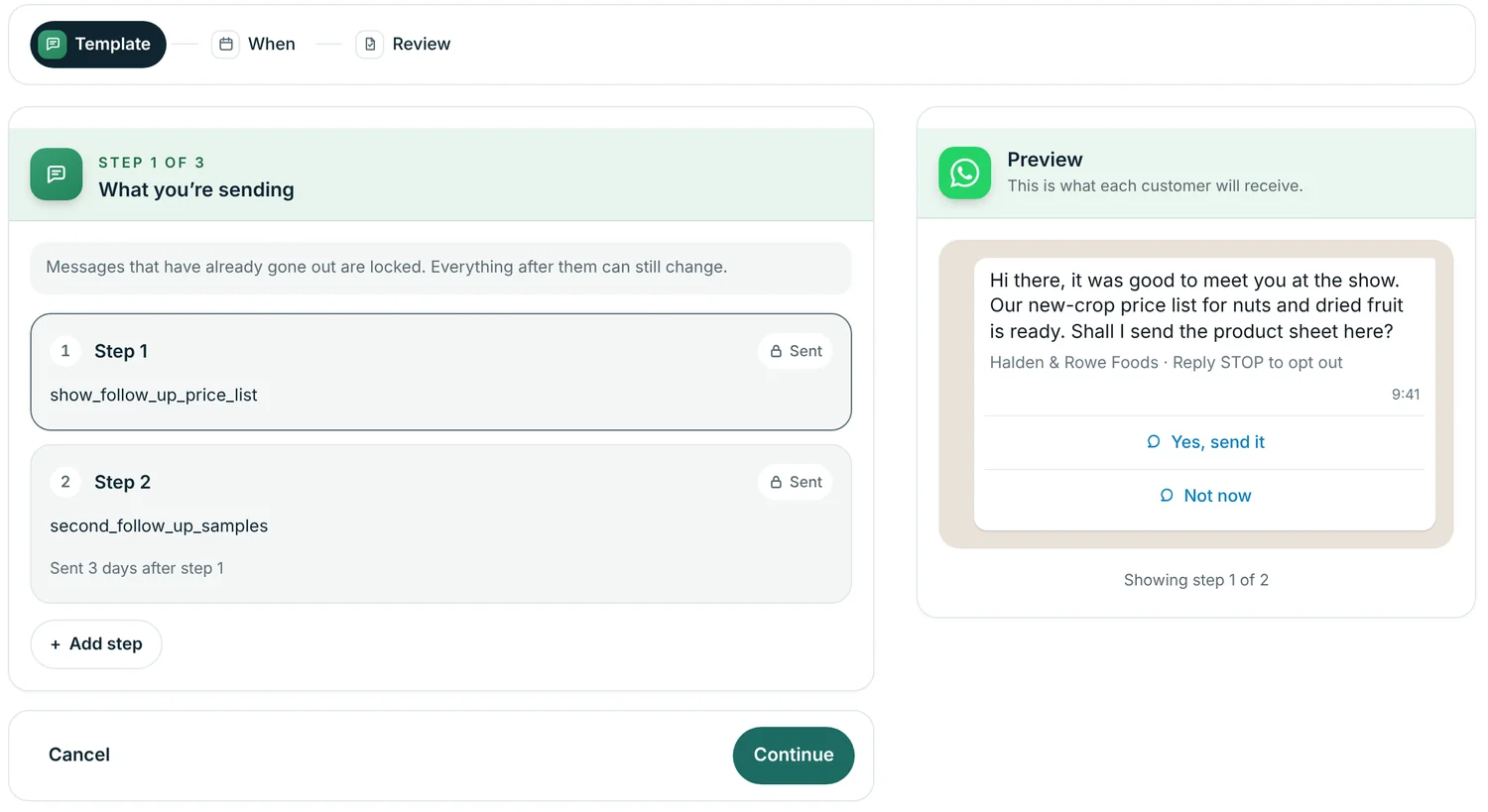
A single campaign sends one template to a group of buyers, now or at a set time. A sequence chains up to ten messages, each waiting from one hour to 90 days after the previous one was actually sent.
- Choose buyers by tag, or pick them one by one.
- Schedule in the time zone of a city you choose.
- Set the most messages per day. This matters for a new number.
- Pause, edit steps that haven't gone out, or stop the campaign for one buyer.
Templates written and approved in one place
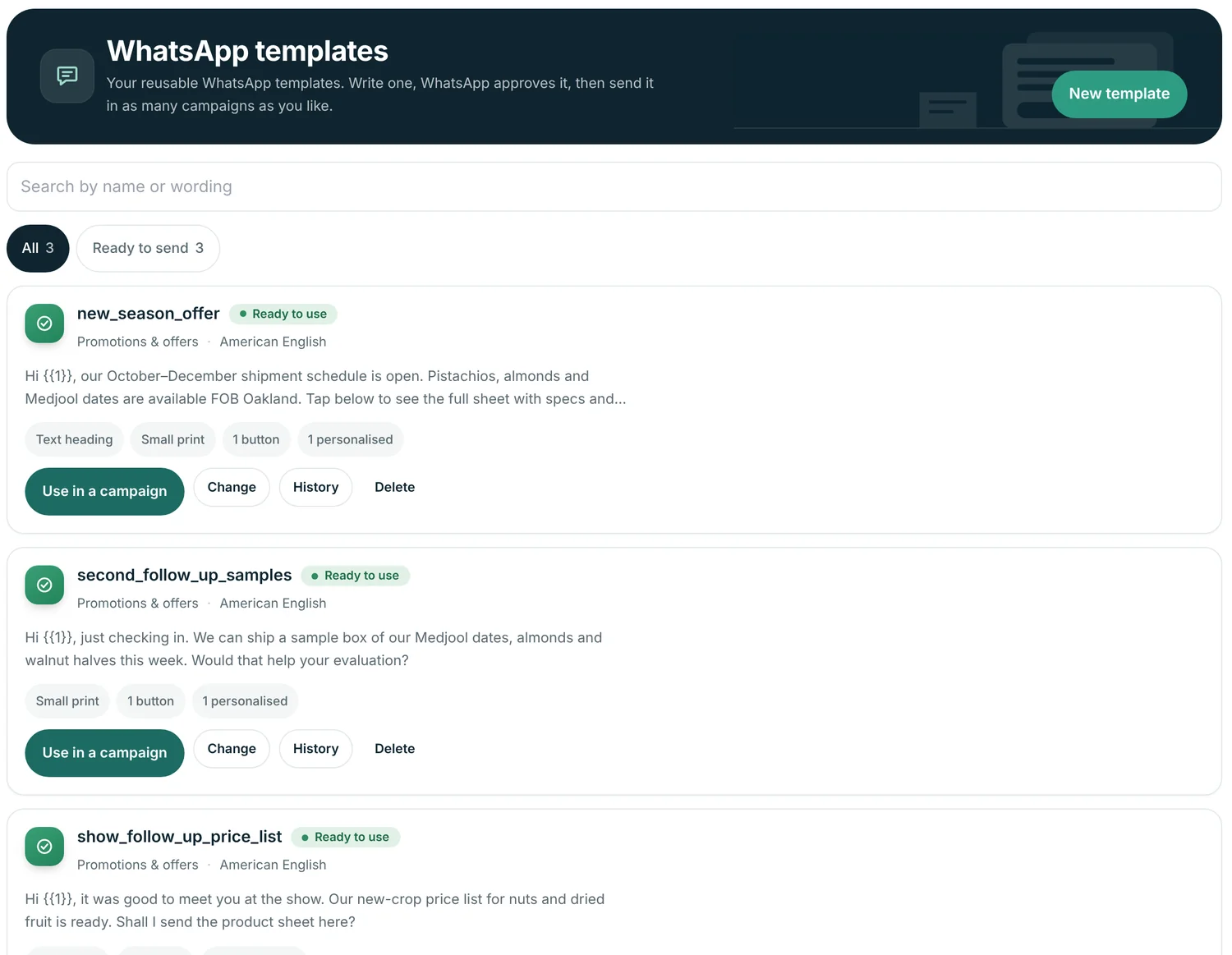
Write a template, see it exactly as the buyer will on their phone, and send it to WhatsApp for approval without leaving Abanro.
- Header line, image, video or file, useful for a price list.
- Personalise with the buyer's first name, full name or your business name.
- Quick-reply buttons, link buttons or a phone button.
- Promotion or order-update category, as WhatsApp requires.
See who replied, and when
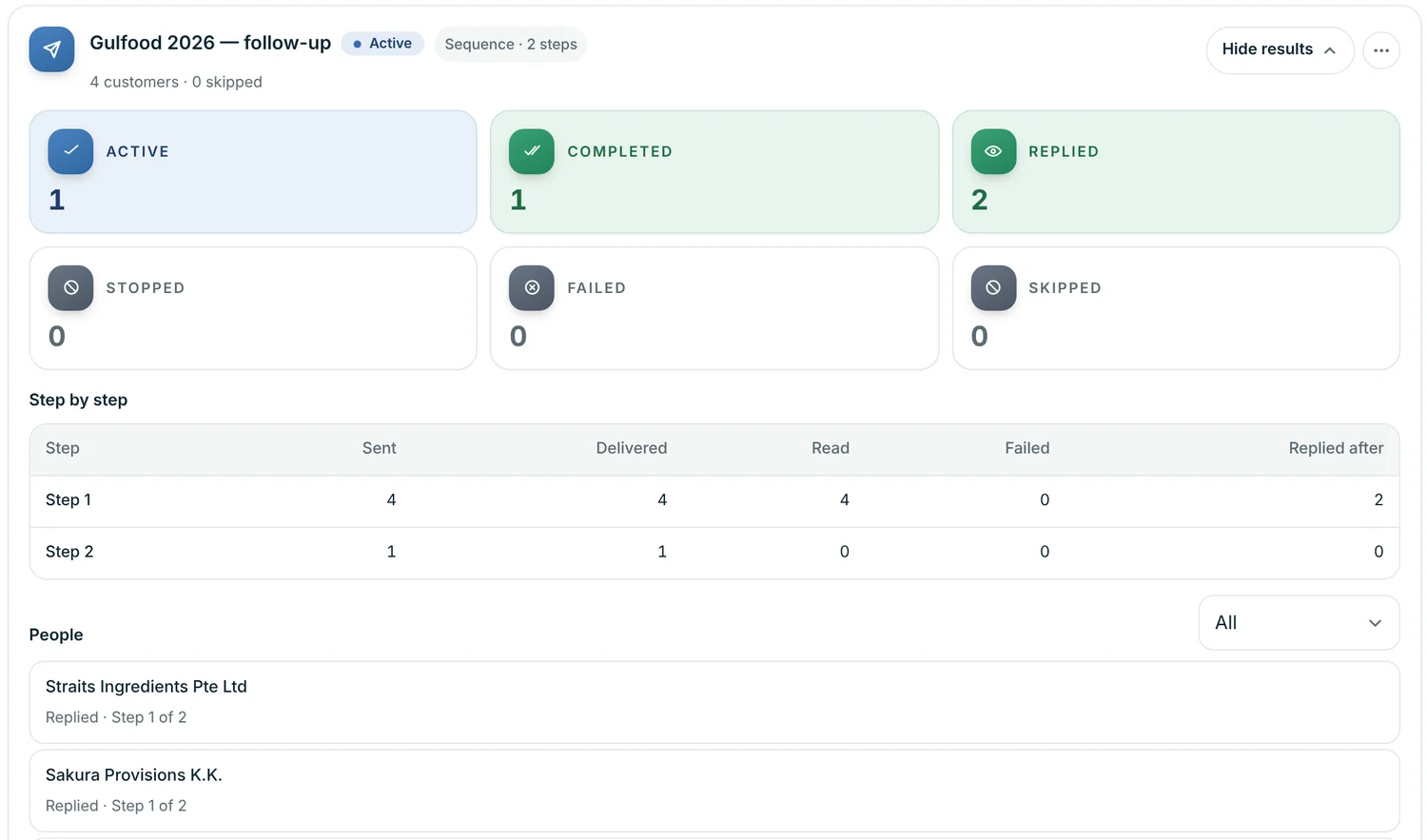
Each campaign shows sent, delivered, read and failed counts per step, how many buyers replied and after which step, and where every buyer is in the sequence.
Buyers whose WhatsApp permission is turned off, or who have no WhatsApp number on file, are left out, and the review step tells you why.
Connecting your number
Campaigns send through the official WhatsApp Cloud API from a WhatsApp Business number you connect under WhatsApp setup in Abanro Export. Your access token is encrypted before it's stored.
You can connect more than one number depending on your plan and choose which number each campaign comes from. Buyers see that number on every message.
Message fees are charged by Meta to your WhatsApp Business account.
Questions
Do I need the WhatsApp Business API?
Yes. Abanro sends campaigns through the official WhatsApp Cloud API, so you connect a WhatsApp Business number to Abanro. Messages that start a conversation must use a template WhatsApp has approved.
What happens when a buyer replies?
They are taken out of the sequence, so they won't get the next scheduled message. Campaign results show who replied and after which step.
How long does template approval take?
WhatsApp reviews each template, usually within a day. Abanro shows the status and, if WhatsApp asks for changes, explains what to fix in plain words.
Who pays for WhatsApp messages?
Meta charges WhatsApp Cloud API message fees directly to your WhatsApp Business account. They aren't included in Abanro's plan price.
Is there a shared WhatsApp inbox in Abanro Export?
Not today. Abanro Export is built for campaigns and sequences: it records replies so sequences stop and results are accurate. Conversations themselves continue on your WhatsApp Business number.
How do I avoid getting my number restricted?
Message people who expect to hear from you, keep templates clear and relevant, and start a new number with low daily volumes. Abanro lets you set the most messages a campaign sends per day.
Keep exploring
- Cold email and follow-up Email sequences sent from your own Gmail, with follow-ups in the same thread.
- Buyer follow-up WhatsApp and email sequences that go out on a schedule you set once.
- CRM for exporters Keep importers and distributors in one buyer record with tags, notes and order history.
- WhatsApp for export sales Templates, permission and follow-up on WhatsApp without getting your number blocked.
Start your first WhatsApp sequence to the buyers you already have.
Tag your buyers, write a template, and let the follow-ups go out until each buyer answers.
No credit card required · 14-day free trial · Plans from $49/month